

Features
What BusyBird does today
This page lists what the app does now. Anything marked “Arrives with the public release” is built but waits on a service we have not switched on yet.
Bots and routines
A team, not a chat box.
Each bot has its own job, its own model and its own tools.
A team of bots
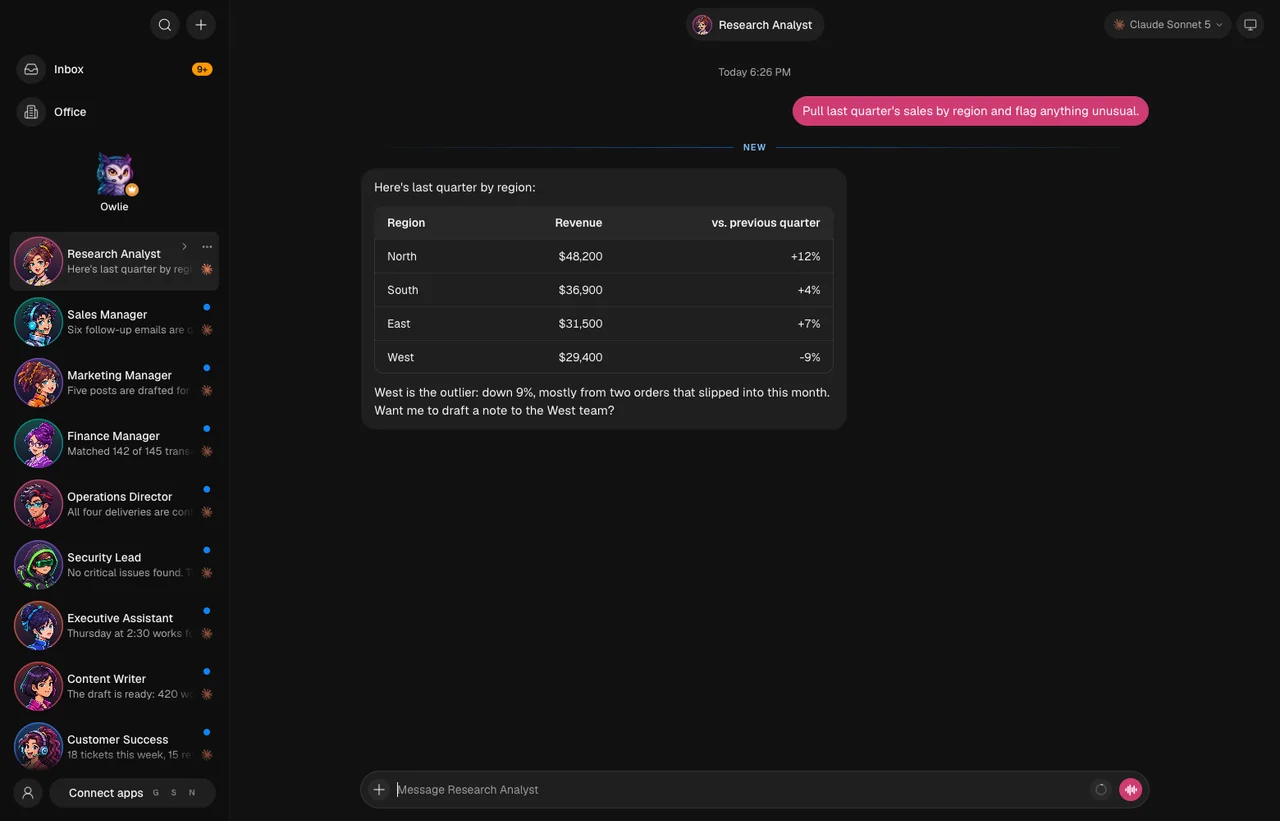
Create bots with their own roles, group them into departments, and message one bot or the whole team.
Owlie, with a Chief of Staff's powers
Your built-in helper manages your other bots and makes sure a task gets to the right one.
Routines and a calendar
Schedule work that repeats, and see tasks and routines on a calendar.
Approvals
Bots ask before sensitive steps. Allow once, always allow, or deny.
The Office
Watch the work happen.
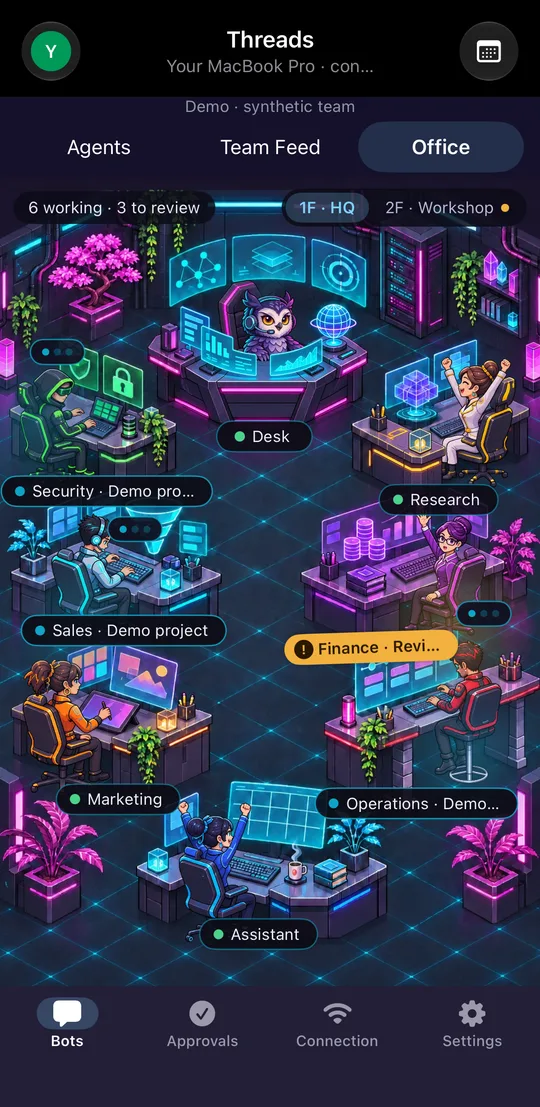
A live picture of your team, on your computer and on your phone.
The Office
Two floors and sixteen desks show who is working, who is waiting for you and who is done.
Five themes
Cyberpunk, Greenhouse, Orbital, Volcano Lair and Sky Harbor. Your phone follows the theme you pick, or chooses its own.
 Cyberpunk
 Greenhouse
 Orbital
 Volcano Lair
 Sky Harbor
Tools
Bots that can use a computer.
With your permission, bots work in real apps and real web pages.
Computer control
A bot can operate apps on your computer once you grant the permissions. On a Mac that means Accessibility and Screen Recording.
A browser for your bots
Bots browse the web in their own browser. Take control yourself whenever a page needs you.
Connected apps
Connect Gmail and YouTube through your own Google sign-in, and add other tools with MCP servers.
Your choice of AI
Use the AI accounts you already have, including Claude, ChatGPT, Grok and OpenRouter, or local models on your own machine.
Phone apps
Your team in your pocket.
Free companion apps for iPhone, iPad and Android.
Phone companion apps
The Office, your bots, the Team Feed, chat, dictation, approvals and sharing from other apps. Pair more than one computer.
End-to-end encrypted, always
Pairing pins your computer's key from a QR code. The phone never falls back to an unencrypted connection.
Same Wi-Fi or Tailscale
At home the phone finds your computer on Wi-Fi. Away from home, reach it over your own Tailscale network.
The BusyBird relay
Reach your computer from anywhere with no setup. The relay passes along encrypted traffic it cannot read.
Arrives with the public releaseYour own tunnel
Prefer to run it yourself? Point your own Cloudflare Tunnel at BusyBird. The same encryption applies.
Arrives with the public releasePush notifications
A notification when a bot needs you, sealed on your computer so the push service never sees its text.
Arrives with the public release
Your data
Your data stays on your computer.
BusyBird is software you run, not a cloud you upload to.
Stored locally
Bots, chats, files, settings and keys live in BusyBird's folder on your computer.
No analytics
The apps contain no analytics, advertising or tracking code.
Direct to your providers
Bots talk straight to the AI services you set up. We never see your prompts, replies or keys.
Owlie is getting the office ready.
BusyBird is in development for Mac, Windows, iPhone and Android. Free 14-day trial · pricing announced at launch.